Empower teams with project management, customer request tracking, and customizable workflows for efficient ticket handling.
FlowInquiry helps your team stay organized and deliver results — faster. With customizable workflows, clear SLAs, and intuitive Kanban boards, you’ll track tickets effortlessly, spot issues early, and keep every project moving — no matter how simple or complex.

Features
What you get with FlowInquiry
Unlocking the Power of Collaboration to Enhance Customer Happiness.
Handle Tickets Without the Headache
Stop wasting time tracking emails and spreadsheets. FlowInquiry keeps all internal and customer tickets in one place, so nothing slips through the cracks — no more missed issues or delays.
Get Work Done Faster with Clear Processes
Customize workflows that match how your team actually works. Set expectations, automate handoffs, and keep tickets moving without micromanaging.
Know What’s Going On — Instantly
View real-time status and activity on every ticket. No more chasing updates — everyone stays aligned and informed automatically.
Work Across Teams Without the Chaos
Assign and delegate tickets between departments without losing visibility. FlowInquiry breaks down silos so teams can move together.
Stay Ahead with Real-Time Alerts
Never miss an update. Get notified when tickets are created, deadlines approach, or issues arise — so you’re always ready to act.
Improve with Actionable Insights
Use built-in reports to track SLA performance, pinpoint blockers, and optimize your workflows — based on real data, not guesswork.
Brings all your teams, projects, and workflows together — in one powerful, unified platform
One platform for all your teams, projects, and workflows
Centralized collaboration
Organize your work by organization, team, and project. Collaborate seamlessly at each level — from cross-team updates to project-specific discussions
Unified project tracking
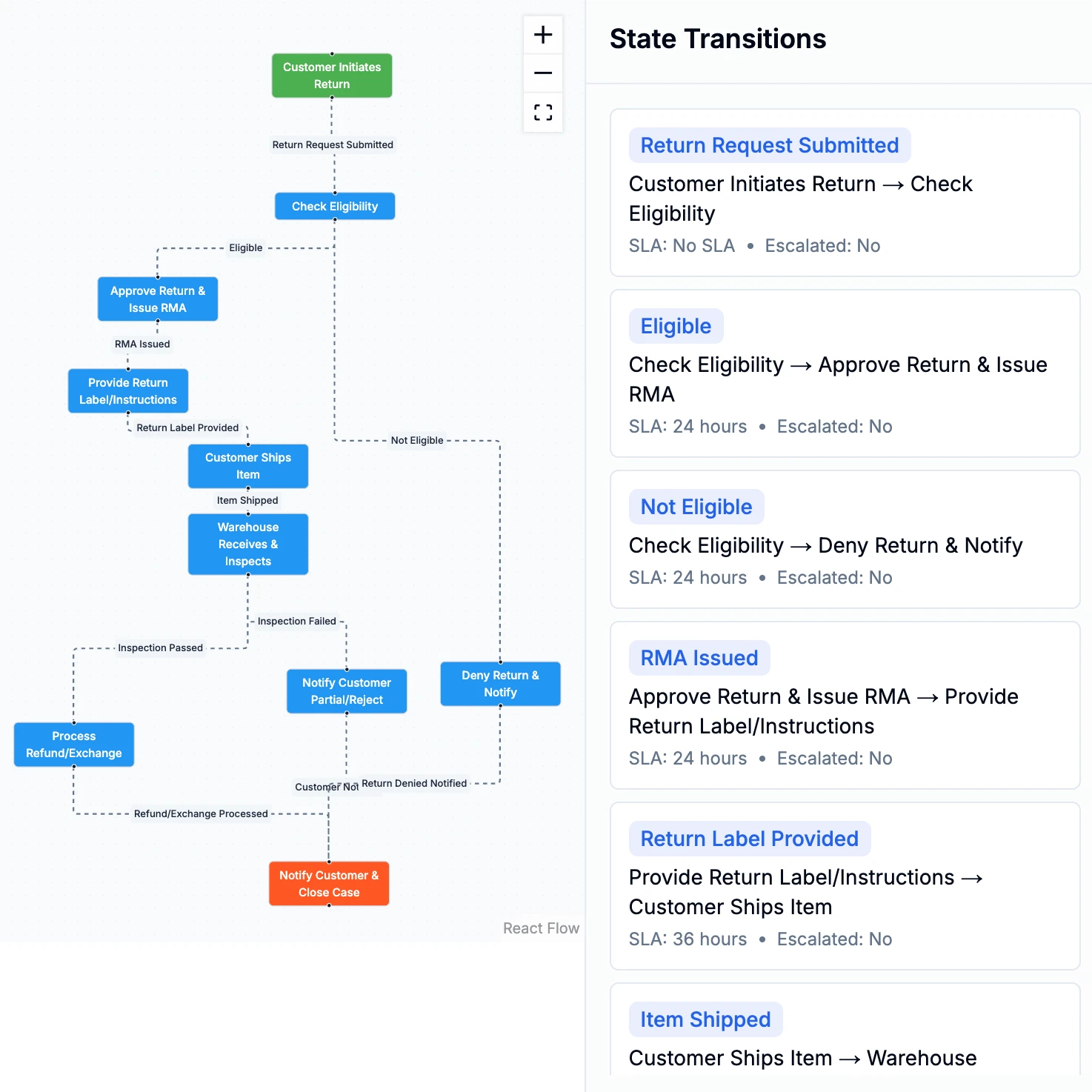
Design workflows tailored to each team’s needs — including SLA tracking, custom states, and automated transitions. No one-size-fits-all constraint
Flexible workflows
Empower your teams to design and manage workflows that match how they work — define SLAs, create custom states, and set up automated transitions. FlowInquiry also sends real-time alerts and notifications when issues arise or deadlines are missed, so the right people take action at the right time
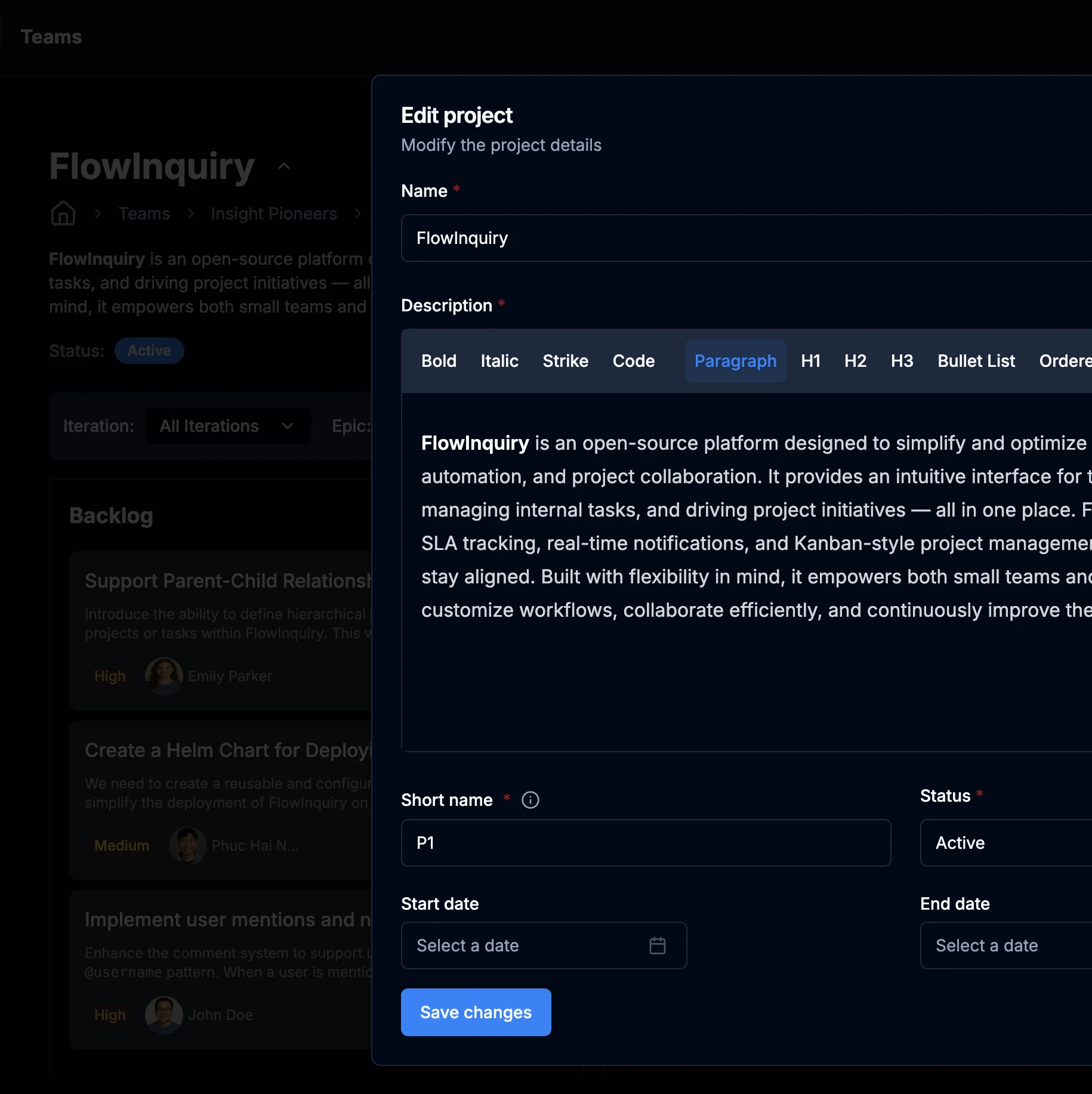
Organize, collaborate, and deliver — your way
FlowInquiry lets your team design workflows, manage projects, and resolve tickets with complete flexibility
Design workflows with custom states, transitions, and SLAs
Set up project-specific rules, labels, and permissions
Support both internal and customer-facing request flows
Configure alerting and escalation paths for critical tickets
Choose between cloud or self-hosted deployment with Docker/Kubernetes
Integrate with your existing tools using a flexible API
STATS
FlowInquiry by the Numbers
See how teams around the world are using FlowInquiry to streamline their workflows
Docker Pulls
Teams
Projects Created
Tickets Created
FAQS
Frequently Asked Questions
Get concise answers about how FlowInquiry operates, all in a quick and easy-to-read format. If you don’t see your question here, feel free to reach out to our support team for further assistance.
Why FlowInquiry?
How Can I Use FlowInquiry?
How Can I Contribute to FlowInquiry?
Why Is FlowInquiry Open Source?
What Are FlowInquiry Use Cases?
How Can I Get Support from FlowInquiry?
Latest from our Blog
Check out our latest articles and stay updated with the newest features and tips

The Open-Source Advantage: Why Transparency Builds Better Teams